In short
This week, in two afternoons, I built a small suite with Claude Code for two people who are looking for work. It updates the CV, finds where to apply, checks the contacts, writes a tailored letter and leaves it as a draft in their Gmail inbox. They reread and send. Then the suite reads the replies and keeps track of every job offer that comes in. The cost is a subscription; the gain is a few hours a week and, above all, consistency.
Looking for work is repetitive work
Anyone looking for a job knows the routine: find the right organisations, figure out who to write to, adapt the CV, write a letter that doesn't read like a form, remember who replied and who needs a reminder. Each well-made application takes about half an hour; twenty a week is a second job.
The part that really matters, deciding where to apply and what to say about yourself, is small. Everything else is searching, copying, checking and filing: exactly what an AI assistant does well, if you give it clear rules and a place to keep the data.
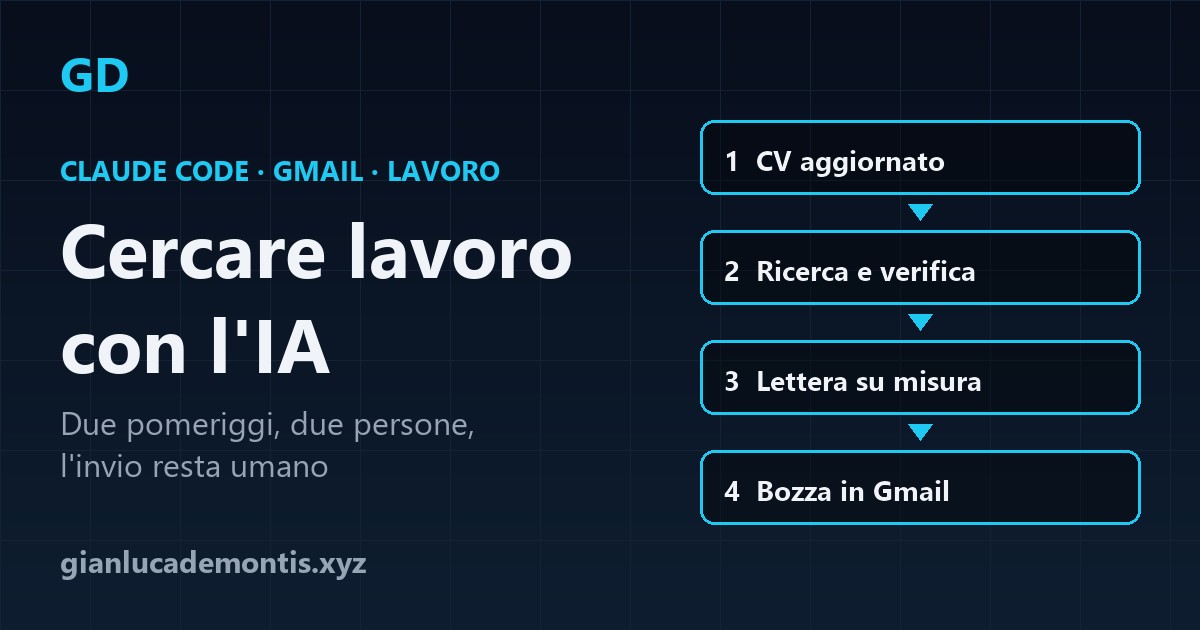
What the suite does, step by step
- A single profile per person. A text file with experience, qualifications, skills, what you are looking for and what you are not. It is the only source of facts: the AI cannot add titles or roles that are not there.
- Updated CV. The CV is rebuilt from the profile, adapted to the kind of job being sought, and checked for the keywords that companies' automatic filters look for.
- Search and verification. The suite looks for openings and suitable organisations in each person's area and field, and checks emails and contact people on the official website. Each result gets a score and a reason.
- Tailored letter. For the best opportunities it writes a letter that mentions something specific about that organisation and links the profile to what they are looking for.
- Gmail draft, never sent. The letter arrives as a draft in the person's Gmail inbox. They open it, reread it, fix it if needed, attach the CV and send it. Or delete it.
- Reading replies and tracking. After sending, the suite reads the replies that arrive in Gmail and updates a single tracker: sent, waiting, reminded, replied, interview, offer, no. Every job offer is recorded with who makes it, what it offers and what to do next. For those who don't reply it prepares a reminder, again as a draft.
What happens after sending
This is the part that usually gets lost. Replies arrive scattered over different days, some end up in the promotions tab, others are a "we'll get back to you" that needs remembering in two weeks. An interview offered over the phone has to be written down somewhere.
Here the suite does its most useful work: it reads the inbox, recognises replies to applications and links them to the right contact in the tracker. So each of the two people has in one place every offer received, the status of every application and the list of what to do: answer a request for information, confirm an interview, chase whoever has been silent too long.
Why Claude Code and not a chat
The same work in an ordinary chat is lost with every conversation: you have to paste the CV again, explain the rules again, remember who you already wrote to. Claude Code works on a folder on your computer instead, and that changes everything:
- It reads and writes files: profiles, tracker and letters stay there between sessions.
- It has a project memory (a
CLAUDE.mdfile with the rules) and reusable commands: one runs the search, another checks the replies and prepares reminders. - It connects to Gmail through the official connector: it creates drafts and reads replies, with no passwords in the code.
- It runs small scripts: deadlines, summaries, attaching the CV to the draft.
You don't need to code to use it: the rules are written in plain language in an instructions file, and the job seekers only see ready drafts in their own inbox.
Two afternoons, two people
First afternoon: the data. A single profile for each person, written with the AI asking questions and the person answering and correcting; updated CVs; an empty tracker; a base letter; an instructions file with the categories to search, the scoring criteria, the rules for the letters and what never to do.
Second afternoon: connecting Gmail and the first real round. Connecting each inbox, checking the identity (I explain why below), the first search, reviewing the letters together and fixing the instructions where the AI got the tone or the target wrong, the first drafts in Gmail.
Two people don't double the time. The structure is the same: the profile, the categories and the tone of the letters change. Each person has their own data and their own inbox, kept separate.
Is it really worth it?
The maths is simple. By hand, a careful application takes about half an hour between search, verification and letter. With the suite the person spends a few minutes rereading and sending each draft. At twenty applications a week the difference is several hours, every week, for as long as the search lasts.
The biggest gain, though, is not time but consistency. Job hunting is discouraging, and reminders and replies are the first things to go. A system that says each time "these three need a follow-up, this offer is waiting for an answer" keeps the work going even in bad weeks.
Costs: a Claude subscription that includes Claude Code and a Gmail account per person. No servers, no software to buy. Two afternoons of initial work.
The rules you don't touch
- Never send automatically. The suite creates drafts; it does not send, forward or delete. One wrong letter sent to a hundred companies ruins your reputation in an afternoon.
- Only facts from the profile. No title, role or date that isn't written in the single profile. If information is missing, the AI asks.
- Verified contacts. Only addresses published by the organisation itself for contacts or applications, checked on the official website. Anyone who asks not to be contacted again never comes back on the list.
- The right account. With several people and several inboxes, the Gmail connection can end up on the wrong account without anyone noticing. Before enabling drafts, check the latest sent emails: if the sender is not the right person, stop there.
- The job seekers' privacy. Profiles, CVs and replies stay in each person's own folder and inbox, kept separate, and don't end up on external websites or services.
The AI does the searching, writing and filing. Deciding who to write to and pressing "send" stays with the person.
Where to start
- Write the single profile, even just one page: it is the basis of everything and useful anyway.
- Choose three or four categories of organisations to apply to and what makes them a good fit.
- Create a tracker (a spreadsheet is fine) with a status for each contact and a row for each offer received.
- Do a small first round, five applications, and fix the instructions before scaling up.
- After a month, look at who replies and move your energy there.
Frequently asked questions
Does Claude Code send emails on its own? No. In the suite I describe it only creates Gmail drafts: the person always sends them, after rereading. This is deliberate, to avoid mistakes and mass mailings.
How are replies tracked? The suite reads the person's Gmail inbox, recognises replies to applications and updates the tracker: replied, interview, offer or no, with the next thing to do. All job offers stay in a single list.
Do I need to know how to code? To use it, no: you reread drafts and send emails. To build it, some familiarity with Claude Code helps, but the rules are written in plain language and the AI writes the scripts it needs.